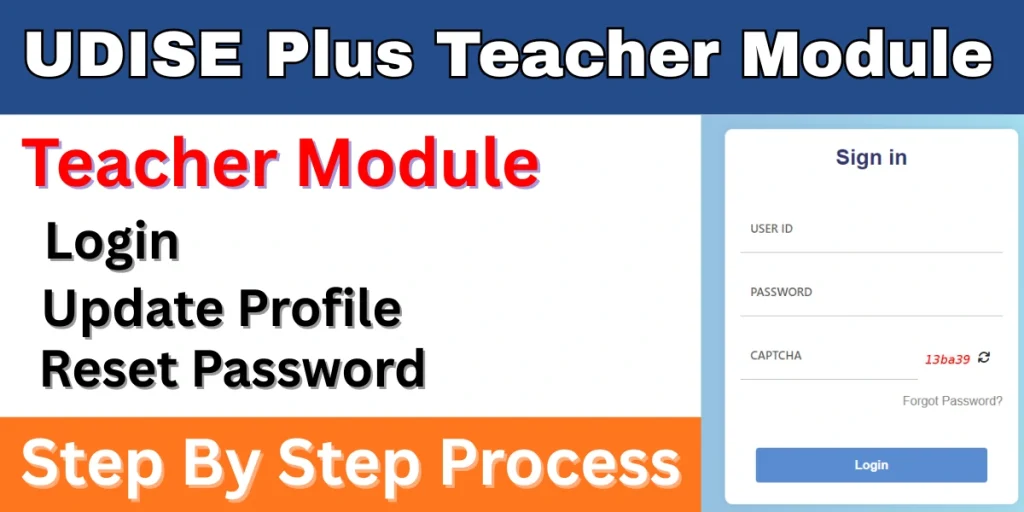
Considering the Indian education system, the Government of India has launched a web portal to record all education-related data. This portal is called Udise Plus. It contains data for all schools and students. The Udise Plus Teacher Module is a part of this portal. This module stores data for all teachers. Teachers can create and update their profiles by logging into this module. In this article, we will learn more about this module in detail.

What is Udise Plus Teacher Module?
The Udise Plus Teacher Module is an online platform launched by the Ministry of Education, Government of India. It is used to manage the data of teaching and non-teaching staff. Through this module, teachers can create their profiles by entering their personal, academic, and professional information. The data of all teachers is available on the portal, and teachers can update this data periodically. Through this module, teachers can apply for their transfer and also check their status.
Udise+ Portal Overview
| Descriptions | Details |
| Portal name | Udise Plus |
| Launched by | Department of School Education and Literacy |
| Launched year | 2018-2019 |
| Purpose | Gathering all school data on a single platform. |
| Benefits | Gathering all school data on a single platform. |
| Official website | udiseplus.gov.in |
Objectives of Udise Plus Teacher Module
- Collecting data on all teachers in the country.
- The aim is to improve policy-making and resource allocation based on the number of teachers in the country.
- This will help us find out how many teachers there are in each school and what qualifications each teacher has.
- Making the personal and professional data of all teachers across the country available on the portal.
- This portal aims to bring transparency by digitally verifying teacher records.
Udise Plus Portal Benefits
- This portal securely stores information related to teachers’ service.
- By visiting this portal, teachers can easily update their educational qualifications and training details at any time.
- This portal verifies teachers’ data in real time, which reduces the possibility of errors.
- Through the Udise Plus Teacher module, teachers can apply for transfers and check the status of their applications.
What is a Teacher Profile?
Within the Udise Plus Teacher Module, every teacher has a separate profile, which acts like a digital database. This profile contains all the teacher’s information, including their personal, academic, and professional details, which they can also update.
What Details are Included in the Teacher Module?
This portal provides some information about teachers, which we have listed below.
- Teacher’s personal details
- Educational qualification details
- Professional qualification details
- Training details
- Appointment & joining details
- Subject and class details
- Transfer/posting information
Who Can Use Udise Plus Teacher Module?
We have provided the information below in the form of a list, indicating who can use this portal.
- Headmaster: These are the primary users of the school system who can update and verify the data of teaching and non-teaching staff.
- School Data Entry Operator: These are the teachers and staff members who have been assigned the responsibility of managing data by the principal. They handle tasks such as new teacher appointments, transfers, and profile updates.
- Block/District MIS Coordinator: Block and district-level officials can use this model to verify and monitor the data sent by the schools.
- Teachers: Teachers themselves can use this to view and update their profiles, and request corrections if needed.
Udise Plus Teacher Module Login
If you wish to log in to the Teacher Module through this portal, please follow the steps given below.
- First, go to the official website.
- Now, navigate to the “Teacher Module” page.
- You will now be on the login page.
- Enter your username and password here.
- Now, enter the captcha code and click the “Login” button.
After completing all these steps, you will be taken to the login dashboard.
Required Details to Login
- Username (Receive it from the School or Education Department)
- Password
Udise Plus Teacher Module Profile Update
If you wish to update your teacher profile through this portal, please follow the steps given below.
- First, go to the official website.
- Once on the website, go to the “Teacher Module.”
- Now log in with your user ID and password.
- After logging in to the dashboard, click on your profile.
- In your profile, you will find an “Edit” option.
- Now you will see three sections:
- General Profile
- Appointment & Teaching
- Training & Other Details
- Now select the section you want to update.
- Update the information here and click on Save.
How to Reset Password in Udise + Portal?
If you want to log in to the Udise Plus Teacher module but have forgotten your login password, recover your password using the steps given below.
- First, go to the official website.
- Now go to the Teacher Module.
- Click on the “Login button”.
- Now you will find the “Forgot Password” option.
- Click on this option.
- Now enter your “User ID”.
- Now enter your “registered mobile” number.
- Now enter the captcha code and click on “Verify”.
- Now you will receive an OTP on your mobile number.
- Enter the OTP and verify.
- Now create your new password.
Frequently Asked Questions (FAQs)
What is Udise Plus Teacher Module?
This is an online digital platform that digitally stores and manages the data of teachers working in the country. Through this platform, teachers’ data is available on the portal, which they can also update.
What kind of information is included in the Udise Plus teacher module?
This portal contains information such as teachers’ personal details, educational qualifications, and professional information.
Can I update my teacher profile on this portal?
Yes, you can update your information by logging into this module.
By whom was the Udise portal launched?
This portal has been developed by the Department of School Education and Literacy under the Ministry of Education.
What is the official website of this portal?
The official website for this portal is udiseplus.gov.in.